silent ef core performance killers and how to fix them
recognize n+1 queries, early materialization, unnecessary tracking, growing joins and deep pagination through an order list you can run locally.
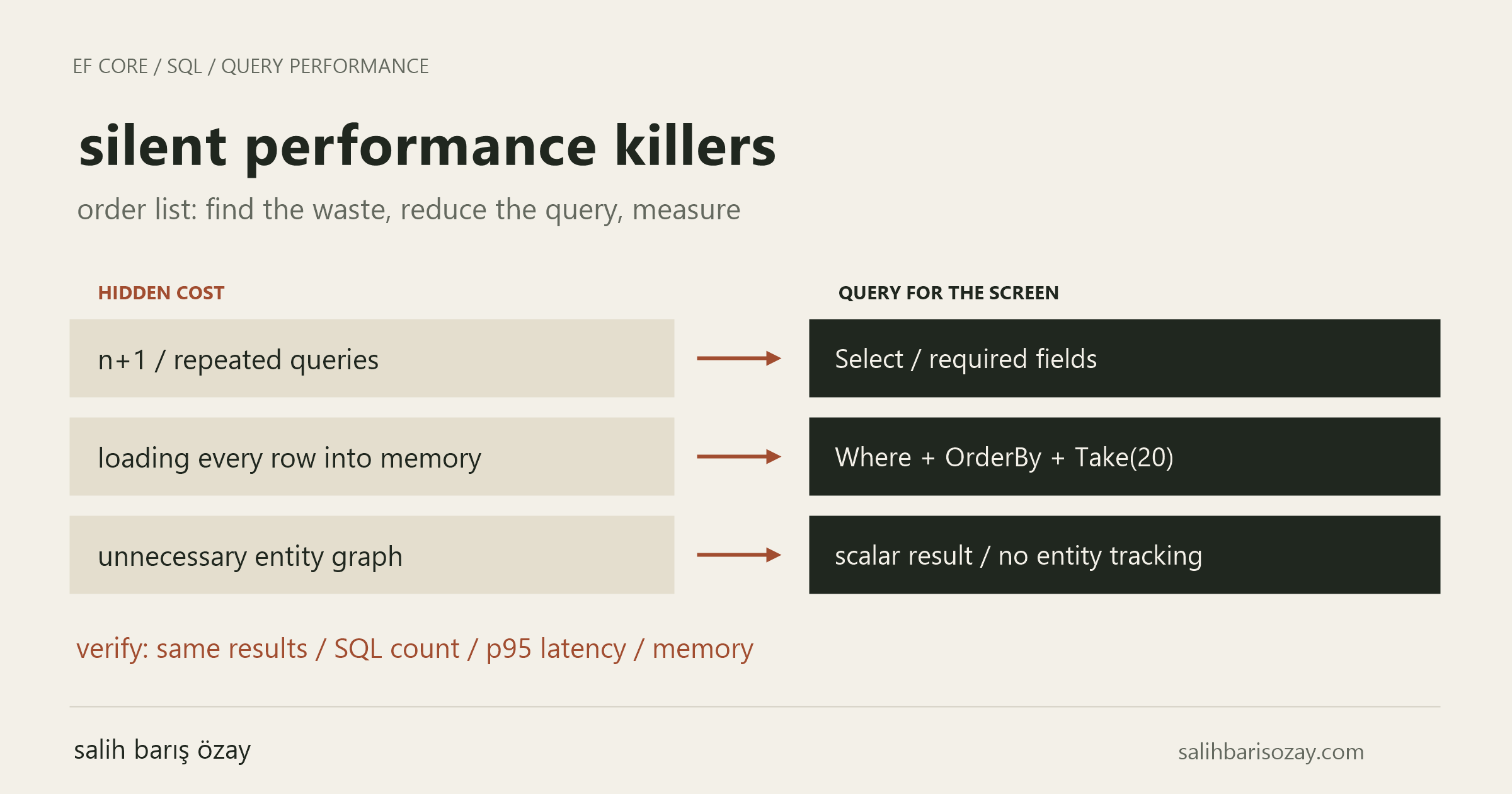
an order list is instant during development. months later it becomes slow while still returning correct results. small data can hide growing work. investigate how often the application visits the database, how much it transfers and which parts the screen actually needs.
updated:
in this article
01define the work before measuring it
our screen needs 20 order ids, customer names and line counts. payment history and complete customer records are outside that contract. this gives us a concrete reason to reduce the query.
compare endpoint duration, executed command count, transferred data and allocations using the same dataset. separate first execution from warm runs; compare repeated measurements using median and p95 rather than a single stopwatch reading.
repeat with representative volume and your target database provider. the numbers below illustrate query behavior; they are not measured speedup claims.
02n+1: a small query repeated many times
load 20 orders and look up each customer with another query inside a loop: that is 21 database trips. network waiting accumulates even if each query is quick. enabled lazy loading can also trigger queries when navigation properties are read; ef core does not enable it automatically.
project customer name and item count in Select when the screen only needs those values. a translatable expression allows the database to provide them without loading the entire relationship graph. the following query needs no Include.
a loop alone does not prove n+1. related data may already be loaded. count the commands executed during the request.
03materializing too early
ToListAsync executes the query. a Where applied to the resulting list filters in memory after the transfer has happened. displaying 20 rows does not undo the cost of loading every order.
in the improved query, filtering, ordering and projection precede execution. ct is a CancellationToken, afterId is the last order id from the previous page and db is a ShopDb. the complete example later defines that model.
ToQueryString helps inspect SQL without executing it. use command diagnostics or an interceptor to observe execution count. avoid sensitive data logging in production and never put user values into static query tags.
// Bad: load every order before filtering.
var all = await db.Orders.ToListAsync(ct);
var page = all.Where(o => o.Id > afterId).Take(20).ToList();

// Better: filter, order and project in SQL.
var query = db.Orders
    .Where(o => o.Id > afterId)
    .OrderBy(o => o.Id)
    .Select(o => new
    {
        o.Id,
        Customer = o.Customer.Name,
        LineCount = o.Items.Count()
    })
    .Take(20);

var rows = await query.ToListAsync(ct);04track entities only when the use case needs it
entity queries track changes by default. AsNoTracking can reduce work for read-only entity results. our scalar projection already contains no entities, so it has nothing to track. adding AsNoTracking here is not an additional optimization.
Select(o => new { Order = o }) does contain an entity and can still track it. repeated entities also make identity resolution relevant. AsNoTrackingWithIdentityResolution is an option to measure rather than a universal improvement.
tracking is useful when an entity will be changed and saved. choose based on the read or write operation instead of disabling it globally without considering update behavior.
05one query can still move too much data
an order with 10 items and 3 payments can produce 30 joined rows when both sibling collections are included. reconstructing the object graph does not erase database and network work.
when a detail screen really needs both collections, consider AsSplitQuery. the example uses separate queries for the order and its collections. fewer duplicated rows come with additional database trips and possible buffering.
data may change between the queries. if a consistent snapshot is required, evaluate suitable transaction isolation and its costs. when only a count is needed, projection avoids loading a large graph altogether.
// A detail screen that really needs both collections:
var order = await db.Orders
    .AsNoTracking()
    .Where(o => o.Id == orderId)
    .Include(o => o.Items)
    .Include(o => o.Payments)
    .AsSplitQuery()
.SingleOrDefaultAsync(ct);06deep pages and suitable indexes
Skip(100000).Take(20) does not eliminate the work of passing earlier rows. for next-page navigation, keyset pagination carries the last observed key. Id > afterId and OrderBy(Id) implement that here. id order is a deliberate choice and does not promise creation-time order.
date ordering needs a unique tie breaker such as id. include both in the cursor and ordering. keyset navigation alone does not implement a direct jump to page 57.
inspect the execution plan for an index matching the filter and ordering. indexes also cost storage and writes. a customer filter combined with id ordering may justify a composite index; verify with the real plan. apply authorization or tenant filters before paging in a real system.
07async does not repair expensive sql
ToListAsync helps avoid occupying an application thread while waiting for the database. it does not reduce query work. blocking with .Result or .Wait undermines that benefit. propagate cancellation tokens; whether cancellation is honored depends on the provider.
do not execute concurrent queries with Task.WhenAll on one DbContext. await sequentially first. independent contexts may allow parallel work but connection pool pressure and database load still need measurement.
08run a local demonstration
with the .net 10 sdk, run “dotnet new console -n EfQueryDemo”. inside it, run “dotnet add package Microsoft.EntityFrameworkCore.Sqlite --version 10.0.12”. this version pins the demonstration baseline; use your supported patch and package policy for an actual application. replace program.cs below and run “dotnet run”.
the program creates ef-demo.db and seeds 100 orders on its first run. with fresh data, expect ids 1–20, customer Ada and two items per order. Tracked: 0 demonstrates that the projection returned no entities. subsequent runs do not add orders unless the stored data is changed separately.
this sqlite demo does not establish sql server or postgresql performance. EnsureCreated is demo initialization rather than a production schema migration strategy.
using Microsoft.EntityFrameworkCore;

var options = new DbContextOptionsBuilder<ShopDb>()
    .UseSqlite("Data Source=ef-demo.db")
    .Options;

await using var db = new ShopDb(options);
// Demo-only initialization, not a production migration strategy.
await db.Database.EnsureCreatedAsync();
if (!await db.Customers.AnyAsync())
{
    var customer = new Customer { Name = "Ada" };
    for (var i = 0; i < 100; i++)
    {
        customer.Orders.Add(new Order
        {
            Items = [new OrderItem(), new OrderItem()]
        });
    }
    db.Customers.Add(customer);
    await db.SaveChangesAsync();
    db.ChangeTracker.Clear();
}

var afterId = 0;
var query = db.Orders
    .TagWith("article:order-list")
    .Where(o => o.Id > afterId)
    .OrderBy(o => o.Id)
    .Select(o => new
    {
        o.Id,
        Customer = o.Customer.Name,
        LineCount = o.Items.Count()
    })
    .Take(20);

Console.WriteLine(query.ToQueryString());
var rows = await query.ToListAsync();
foreach (var row in rows)
    Console.WriteLine($"{row.Id} | {row.Customer} | {row.LineCount}");
Console.WriteLine($"Tracked: {db.ChangeTracker.Entries().Count()}");

public sealed class ShopDb(DbContextOptions<ShopDb> options)
    : DbContext(options)
{
    public DbSet<Customer> Customers => Set<Customer>();
    public DbSet<Order> Orders => Set<Order>();
    public DbSet<OrderItem> OrderItems => Set<OrderItem>();
    public DbSet<Payment> Payments => Set<Payment>();
}
public sealed class Customer
{
    public int Id { get; set; }
    public string Name { get; set; } = "";
    public List<Order> Orders { get; set; } = [];
}
public sealed class Order
{
    public int Id { get; set; }
    public int CustomerId { get; set; }
    public Customer Customer { get; set; } = null!;
    public List<OrderItem> Items { get; set; } = [];
    public List<Payment> Payments { get; set; } = [];
}
public sealed class OrderItem
{
    public int Id { get; set; }
    public int OrderId { get; set; }
}
public sealed class Payment
{
    public int Id { get; set; }
    public int OrderId { get; set; }
}09prove both correctness and improvement
compare order ids, customer names and counts before measuring performance. exclude schema creation and seed commands from the list-query measurement. set afterId to 20 and expect ids 21–40.
exercise empty results and the final page. the ef in-memory provider cannot prove relational query performance. inspect plans and p95 latency under representative concurrent load on the actual provider.
record data volume, provider and package versions, code revision and measurement conditions. reduced transfers and allocations can reduce resource consumption; do not claim a carbon savings percentage without measuring it.